Driving
Steering wheel
The car is equipped with an adjustable steering wheel, with two stalks, and a horn. On the left side, there are four buttons and a thumbstick. On the right side, there are four buttons and a scroll wheel.
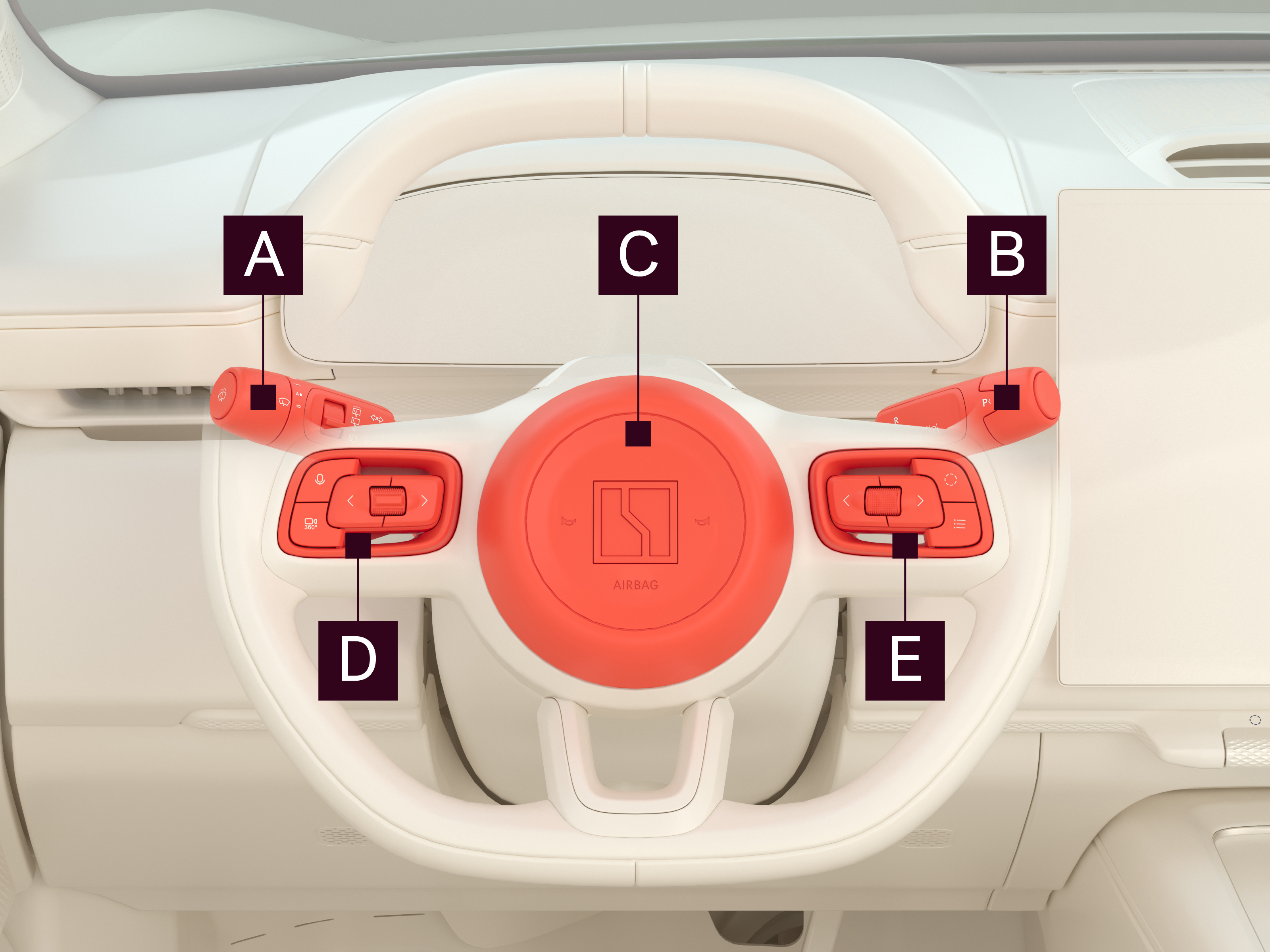
Control

Left stalk

Right stalk

Horn/airbag

Left buttons and thumbstick

Right buttons and scroll wheel
There is also a customizable shortcut button  on the right side of the steering wheel. By default, this button opens and closes the automatic parking assist interface. Press and release the button to activate the shortcut. Press and hold the button until a pop-up appears on the center display to select a different action for the shortcut button.
The available shortcuts are:
- Switch audio source
- Amplifier (external announcement system)
- Auto parking
- Mute all
- Switch acceleration mode
Adjust the steering wheel position
When adjusting your steering wheel, do so with a proper seating position in mind, and remember that the steering wheel should be positioned in line with your wrists when your shoulders are in contact with the seat and your arms stretched out in front of you, and that you must be able to fully see the driver display. See Seating recommendations for further information on proper seating positions.
To adjust the steering wheel:
- Navigate to
 Vehicle > Basic.
 - Press Steering wheel.
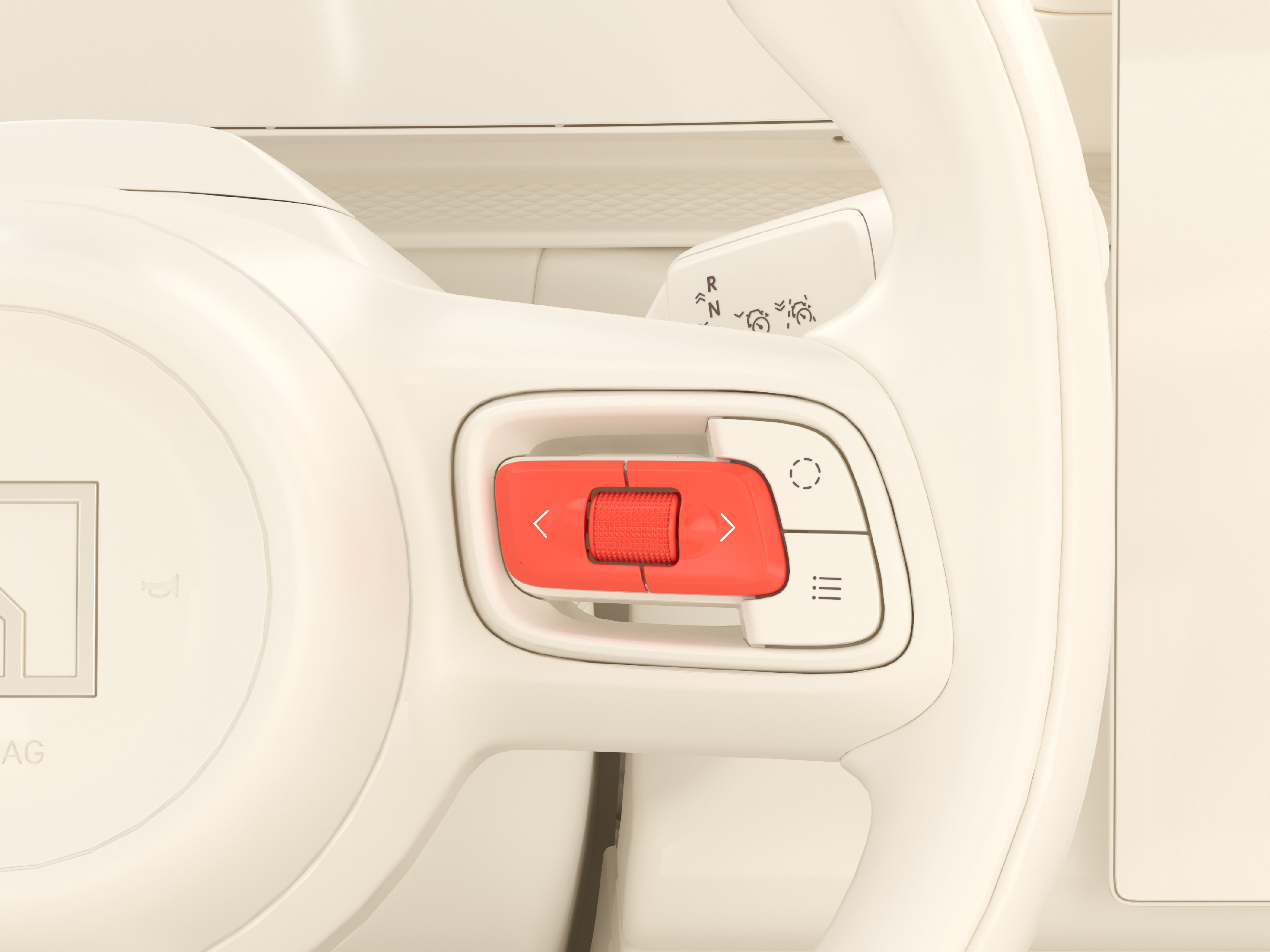
- Scroll up/down on the scroll wheel or press the left/right buttons on the right side of the steering wheel to adjust the position.
The steering wheel settings can be saved alongside the seat and mirror positions. See Seat position memory.
Steering wheel stalks
Besides the switches and touch pads, the steering wheel is equipped with a stalk on each side of the steering wheel.
Left stalk
The left stalk is used to control the wipers and washers, and the various lights used while driving the car. The available light functions are:
- High beam
- Adaptive high beam
- Indicator lights
For information on how to use the various lights, their corresponding symbols on the driver display, and more, see Exterior lights. For information on the wipers and washers, see Wipers and washers.
Right stalk
The right stalk is used to switch between gears. For further information, see Gear lever.