Seating, storage, and loading
Adjust the front passenger seat
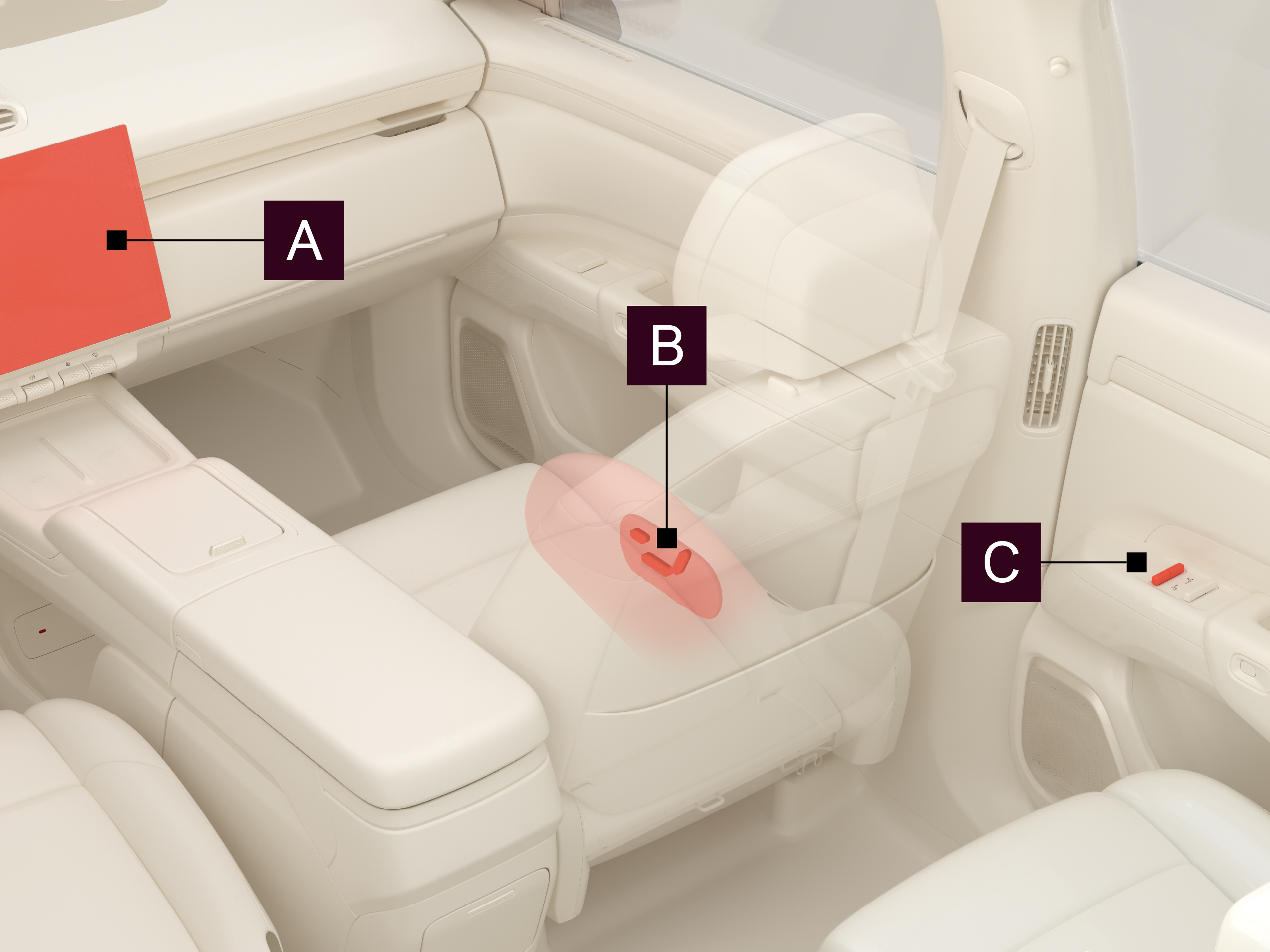
There are three ways to adjust the front passenger seat:
 The center display
 The seat buttons on the lower right side of the seat
 The control panel on the rear right door
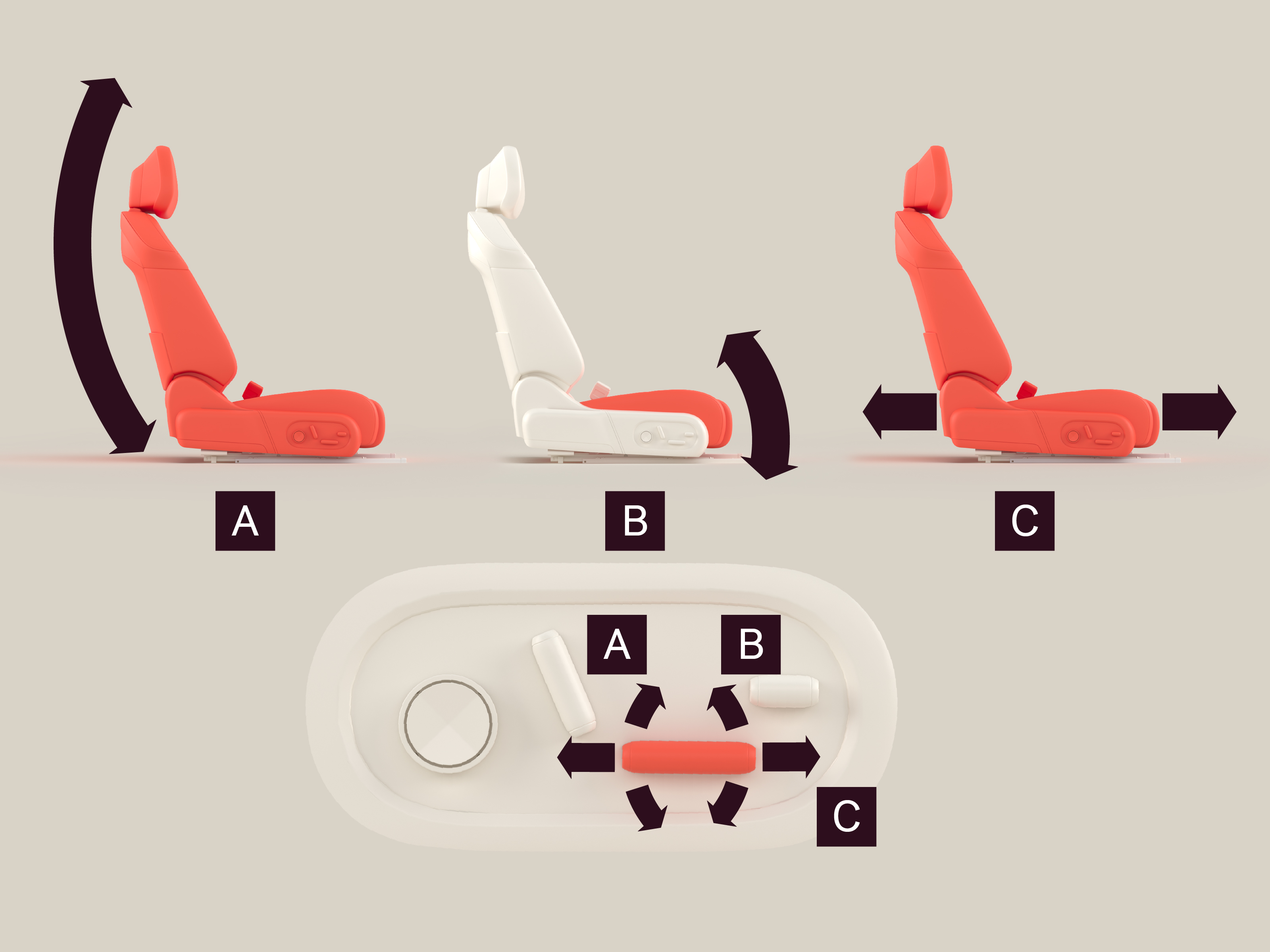
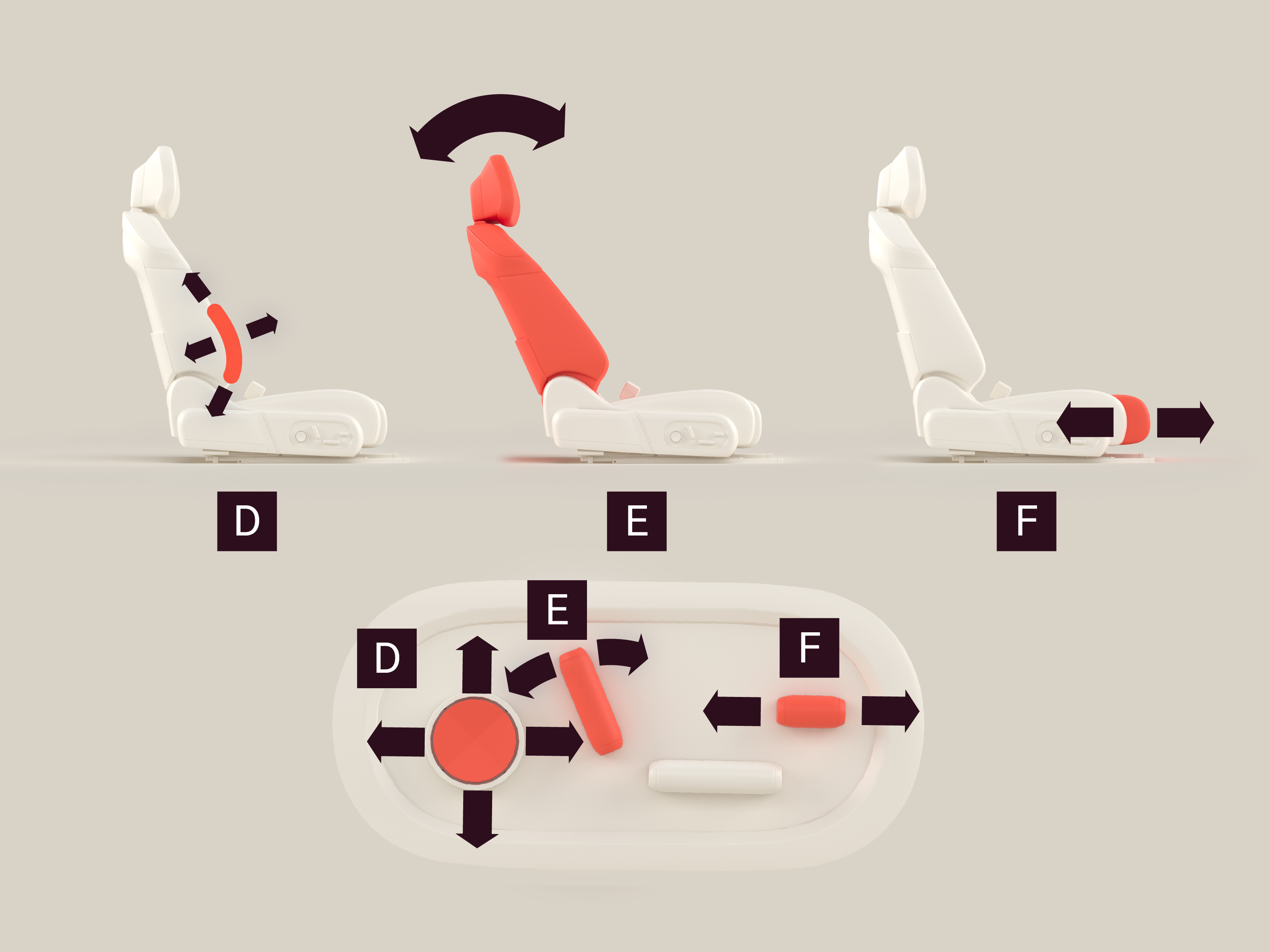
To adjust the front passenger seat using the seat buttons

Seat height
Adjust the seat height by moving the rear section of the button up and down.

Cushion angle
Adjust the cushion angle by moving the front section of the button up and down.

Seat forward/backward
Adjust the seat forward/backward by moving the button forward/backward.

Lumbar support
Adjust the lumbar support by pressing the button up/down/left/right.

Backrest angle
Adjust the backrest angle by tilting the button forward/backward.

Seat cushion length
Adjust the seat cushion length by moving the button forward/backward.
To adjust the front passenger seat using the center display, navigate to  Seat adjustment.
To adjust the front passenger seat using the control panel on the rear right door
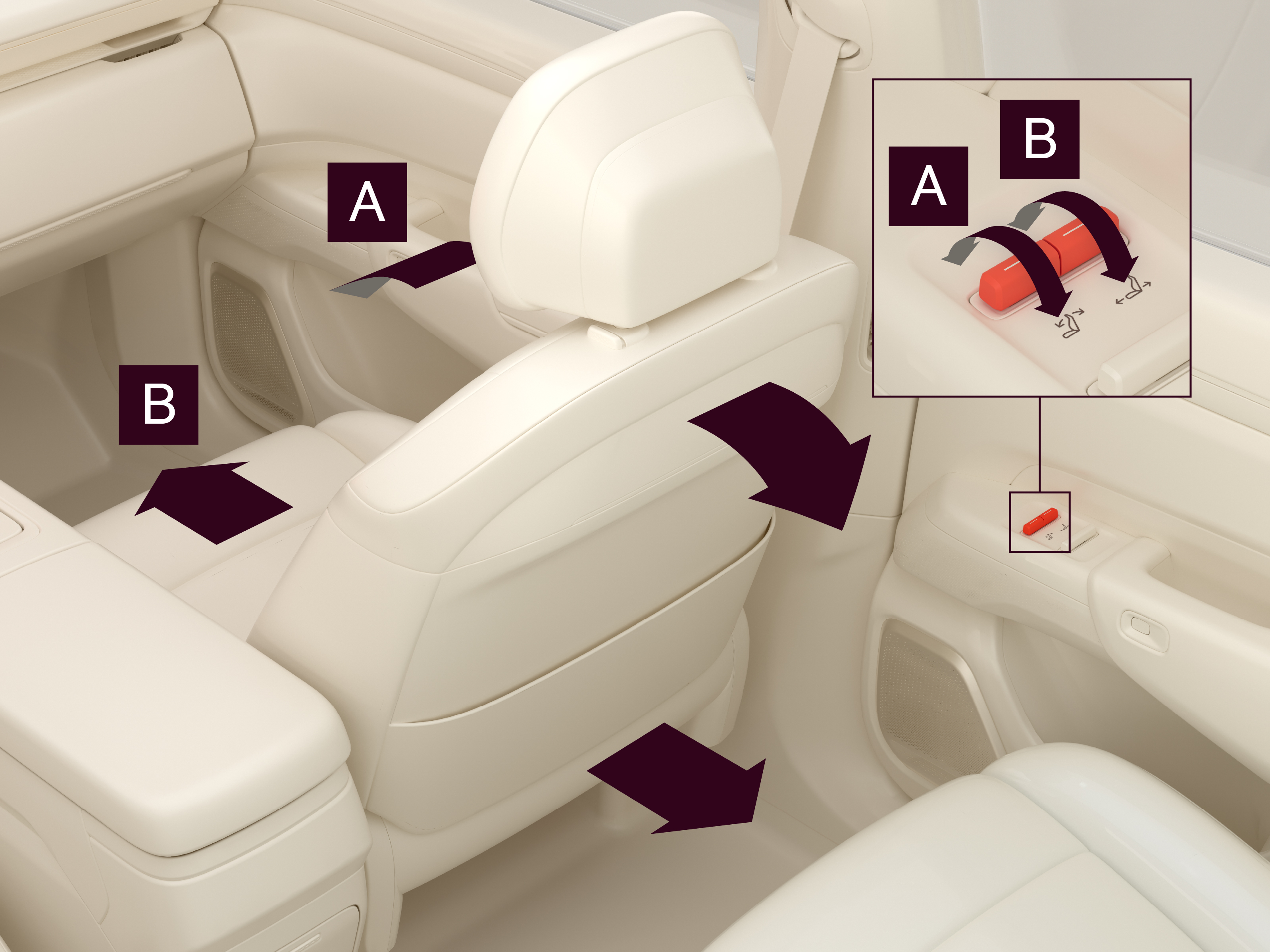
Backrest angle
Adjust the backrest angle by tilting the button forward/backward.
Seat forward/backward
Adjust the seat forward/backward by tilting the button forward/backward. When the seat has reached the frontmost/rearmost position, continuing to tilt the button raises/lowers the seat.
Note
The control panel is disabled when the window lock is enabled on the rear right door.