Driving
Exterior lights
The exterior lights are controlled by the left stalk, the center display, and the hazard warning lights button on the overhead console.
Left stalk light controls
The left stalk is used to control the high beam and the direction indicator lights.
High beam
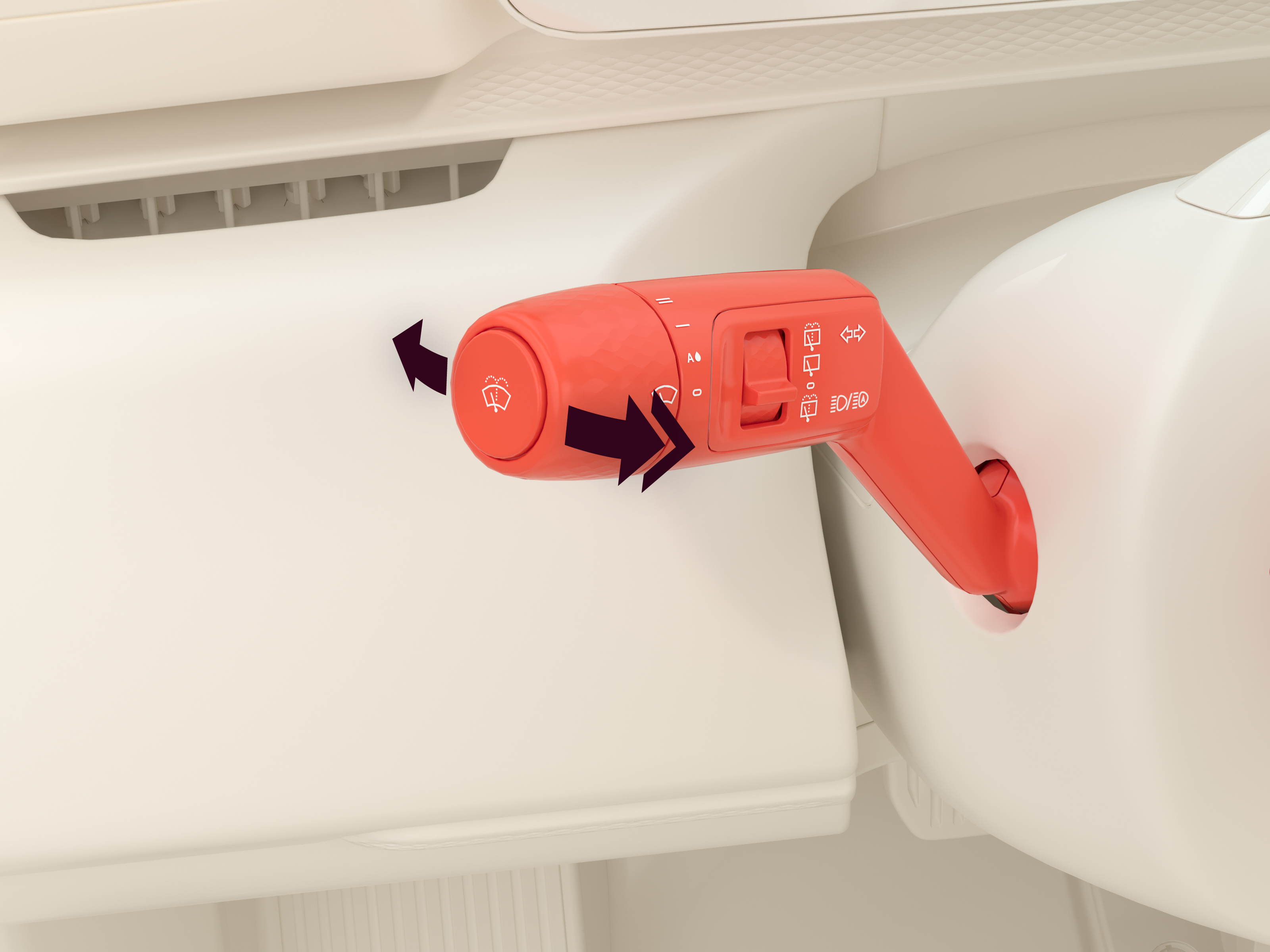
To control the high beam with the left stalk:
- Move the stalk forward/backward to turn on/off the high beam. Move the stalk forward again to switch between manual high beam and adaptive driving beam.
- Pull the stalk backward to flash the high beam.
Adaptive driving beam automatically dims parts of the high beam to prevent blinding oncoming traffic, while still keeping the road ahead illuminated. Adaptive driving beam is automatically turned on if the surroundings are dark and the speed is at least 30 km/h.
The exterior lights settings need to be set to  for the adaptive driving beam to activate.
When adaptive driving beam is active, returning the stalk to the neutral position resumes adaptive driving beam. This means that the high beam can still be active if the stalk is returned to the neutral position, as long as the system is not detecting oncoming traffic.
Indicator lights
The indicator lights are controlled by the left stalk. While the indicator lights are active, the  or
or  symbol will flash on the driver display.
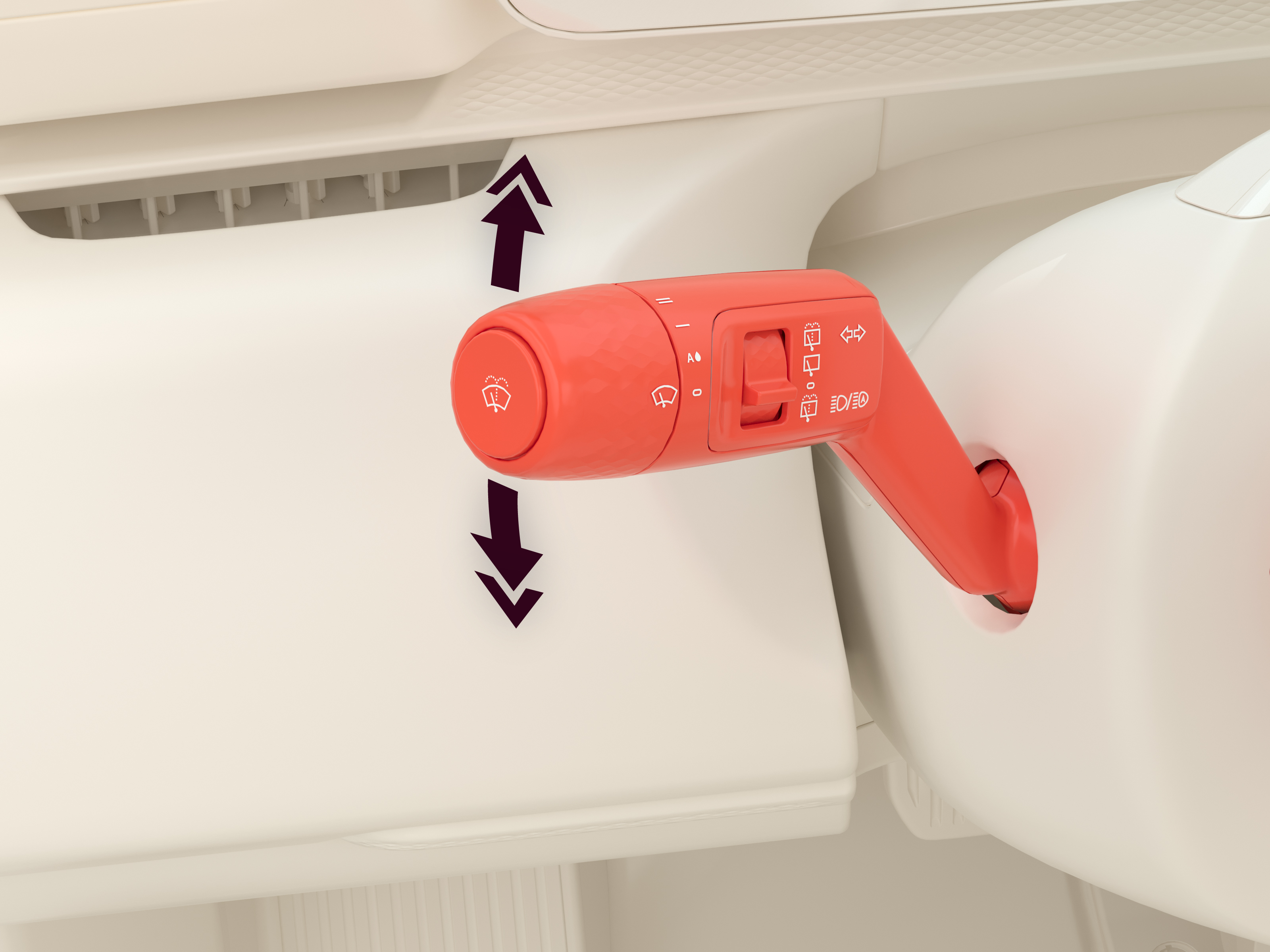
- Move the left stalk upward/downward slightly to activate the indicator lights on the right/left side of the car for three flashes.
- Move the left stalk upward/downward until it stays in place to activate the indicator lights on the right/left side of the car continuously.
Center display light controls
Some lights are only controlled through the center display.
To toggle a light function on/off:
- Navigate to
 Lighting > Exterior.
 - Press the corresponding button.
Auto lights

Low beam
 symbol is shown on the driver display.
Position lights
 symbol is shown on the driver display.
Rear fog light
symbol is shown on the driver display. or function is active.Hazard warning lights
The hazard warning lights are used to warn other road users about traffic accidents or emergencies. When the hazard warning lights are active, the and symbols continuously flash on the driver display.
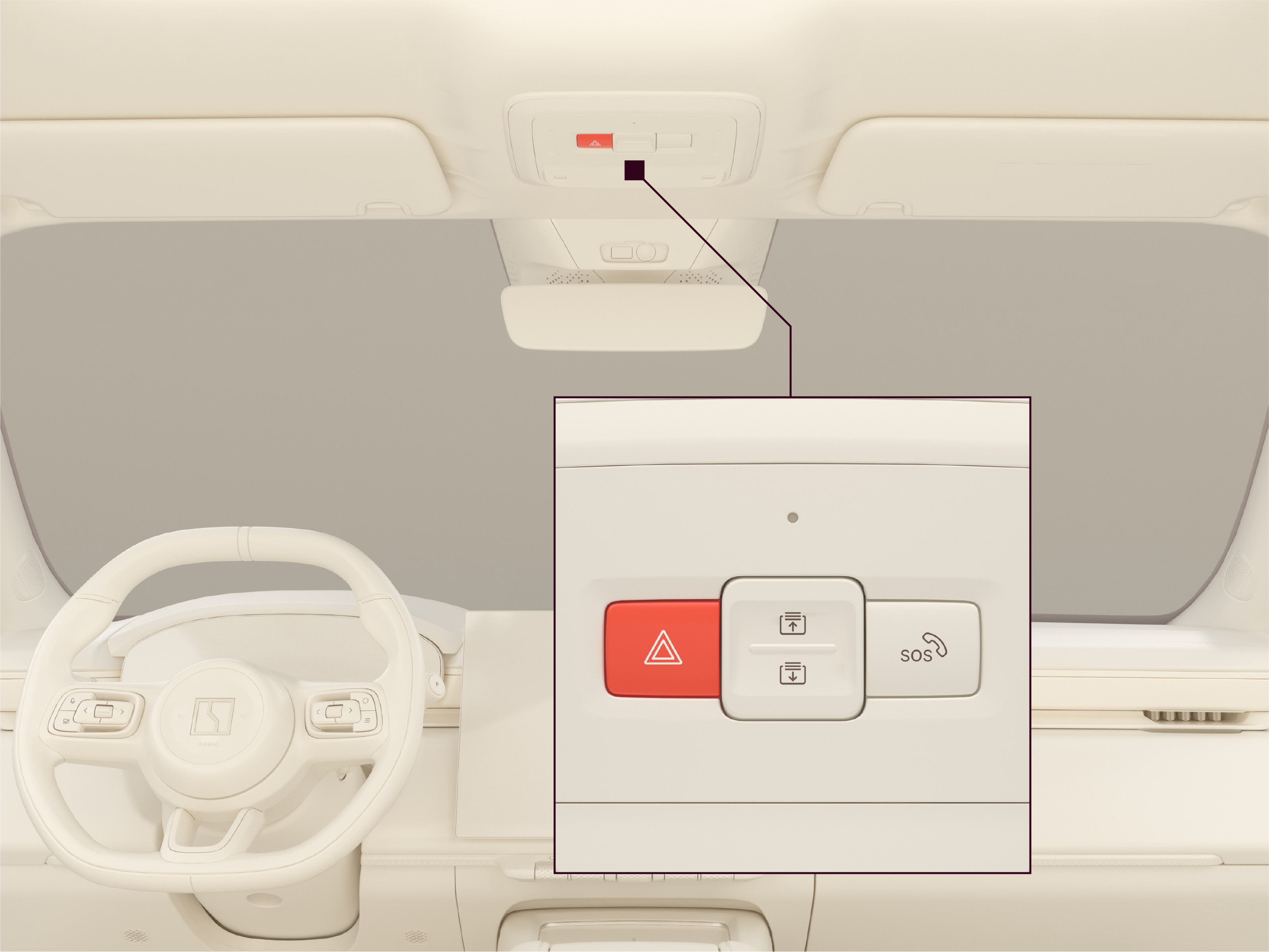
In case of a collision, the hazard warning lights will usually activate automatically. If the hazard warning lights do not turn on automatically, or if it is necessary to turn them on for another reason, press the hazard warning lights button on the overhead console to turn on/off the hazard warning lights.