Driver assistance
Driver display information
The driver display displays information about various systems in the car, such as lane keep assist, surrounding traffic, and, when enabled, driver assistance. For further information about the driver display, see Tailgate.
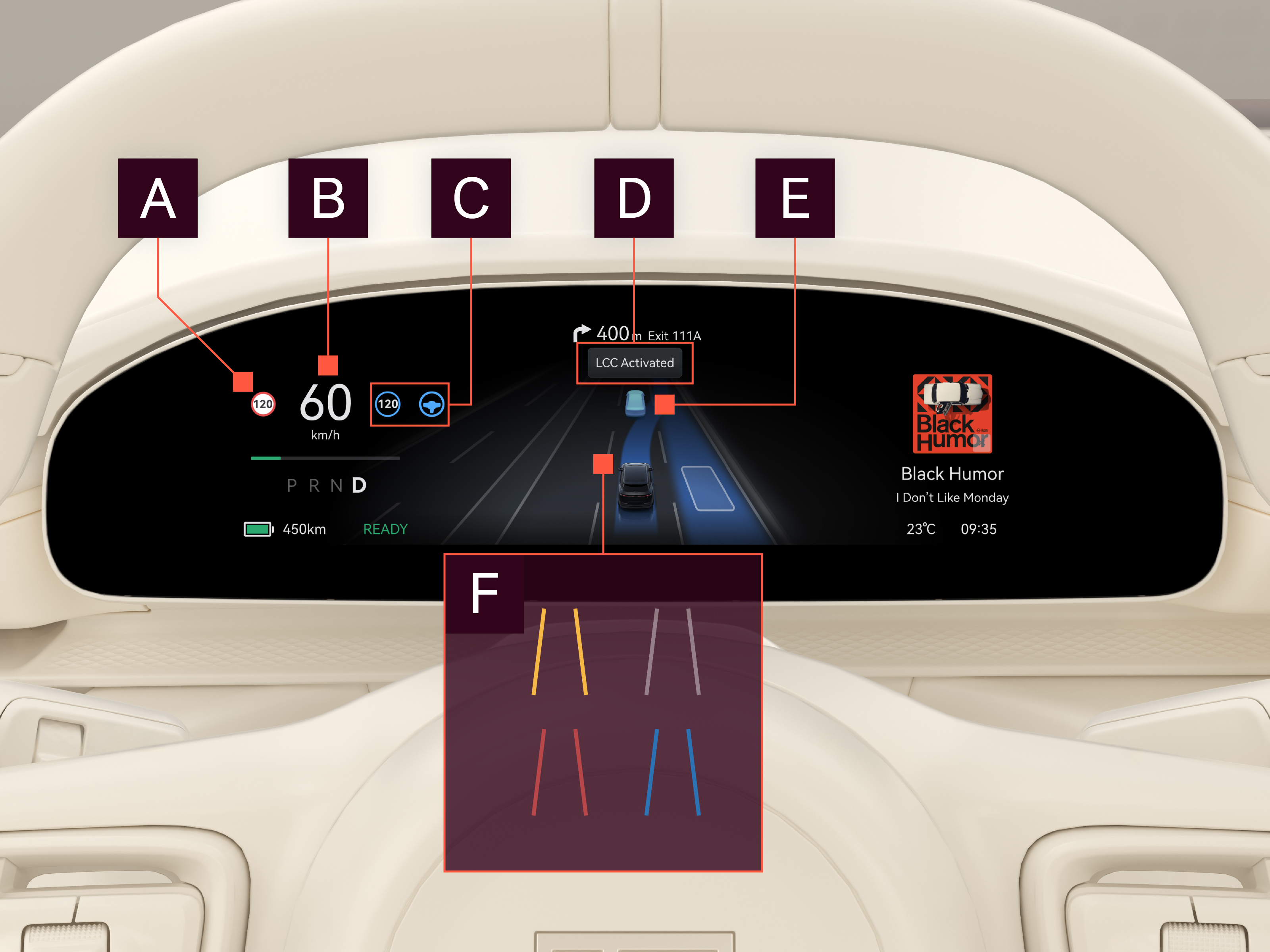
Displayed information

Traffic sign information
Relevant traffic signs are displayed here if the traffic sign information function is activated. For further information, see Traffic sign information.

Current speed
Displays current speed.

Driver assistance symbols
Status of the driver assistance functions:
- Gray: Ready for use
- Blue: Active
- Yellow: Fault

Driver assistance messages
Driver assistance messages are displayed in this area.

Surrounding traffic
Detected cars are shown in their respective lanes in relation to your own car.

Lane markings
- Yellow: Yellow lane markings detected
- White: White lane markings detected
- Red: Lane departure warning is active
- Blue: Lane keep assist is active
- Left and right blue: Lane centering control (highway assist) is actively centering the car in the lane.