Seating, storage, and loading
Adjust the driver seat
The driver seat can be adjusted in two ways:
- The seat buttons on the lower left side of the seat
- The center display
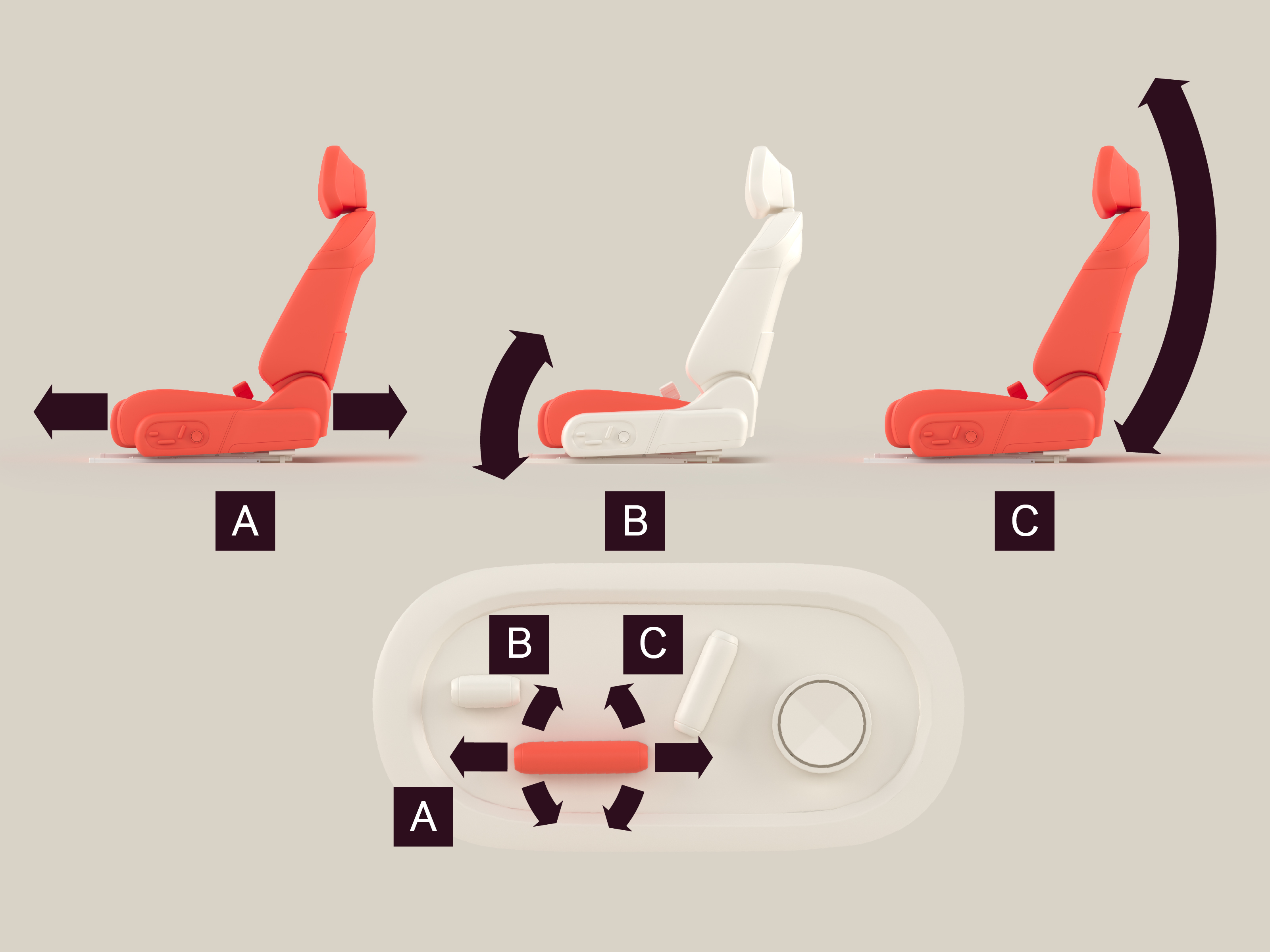
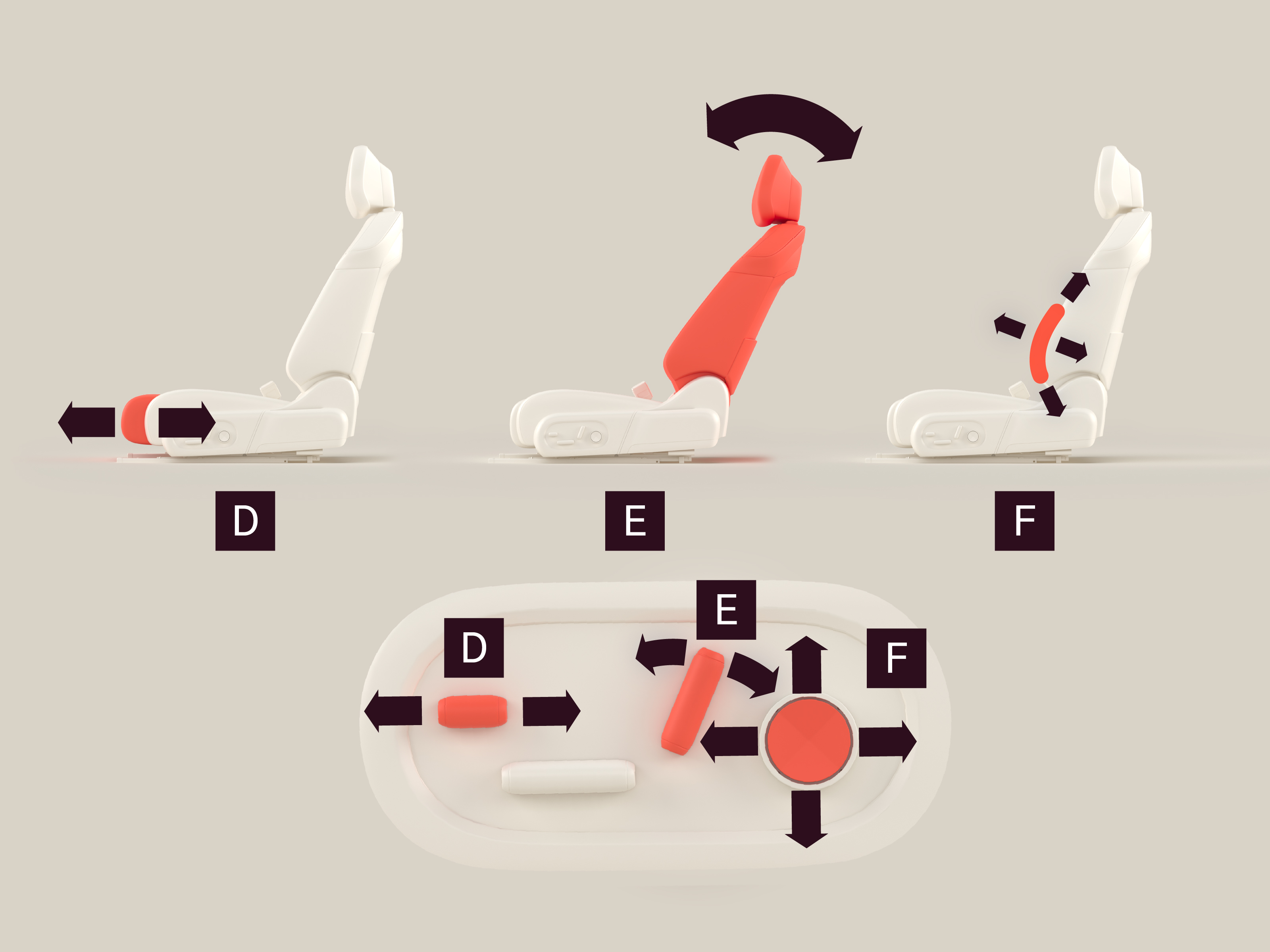
To adjust the driver seat using the seat buttons

Seat forward/backward
Adjust the seat forward/backward by moving the button forward/backward.

Cushion angle
Adjust the cushion angle by moving the front section of the button up and down.

Seat height
Adjust the seat height by moving the rear section of the button up and down.

Seat cushion length
Adjust the seat cushion length by moving the button forward/backward.

Backrest angle
Adjust the backrest angle by tilting the button forward/backward.

Lumbar support
Adjust the lumbar support by pressing the button up/down/left/right.
To adjust the driver seat using the center display
Navigate to  Seat adjustment.
Warning
Do not adjust the driver seat while the vehicle is moving. Doing so could result in death or serious injury.