Driver assistance quick guide
Highway assist quick guide
Highway assist, like adaptive cruise control, helps you maintain a set speed and interval between your car and the vehicle in front of you. Highway assist also includes lane centering control, and can even automatically change lanes for you if auto lane change assist is activated. The speed range of the function is 0–130 km/h. For more information, see Highway assist.
An arrow appears on either side of the highway assist symbol  in the driver display and the head-up display when automatic lane change assist is available, and safe to initiate, for that lane. Initiate an automatic lane change by activating the direction indicator lights towards the side you want to change lane to.
During the maneuver, the lane change is aborted if any of the following occurs:
- The conditions for a safe lane change stop being fulfilled.
- The driver does not have both hands on the steering wheel.
Activate/deactivate automatic lane change assist
- Navigate to
 > Zeekr AD.
 - Press Auto lane change assist.
The highway assist function has limitations. Be aware of them before using the function. See Limitations of the highway assist function.
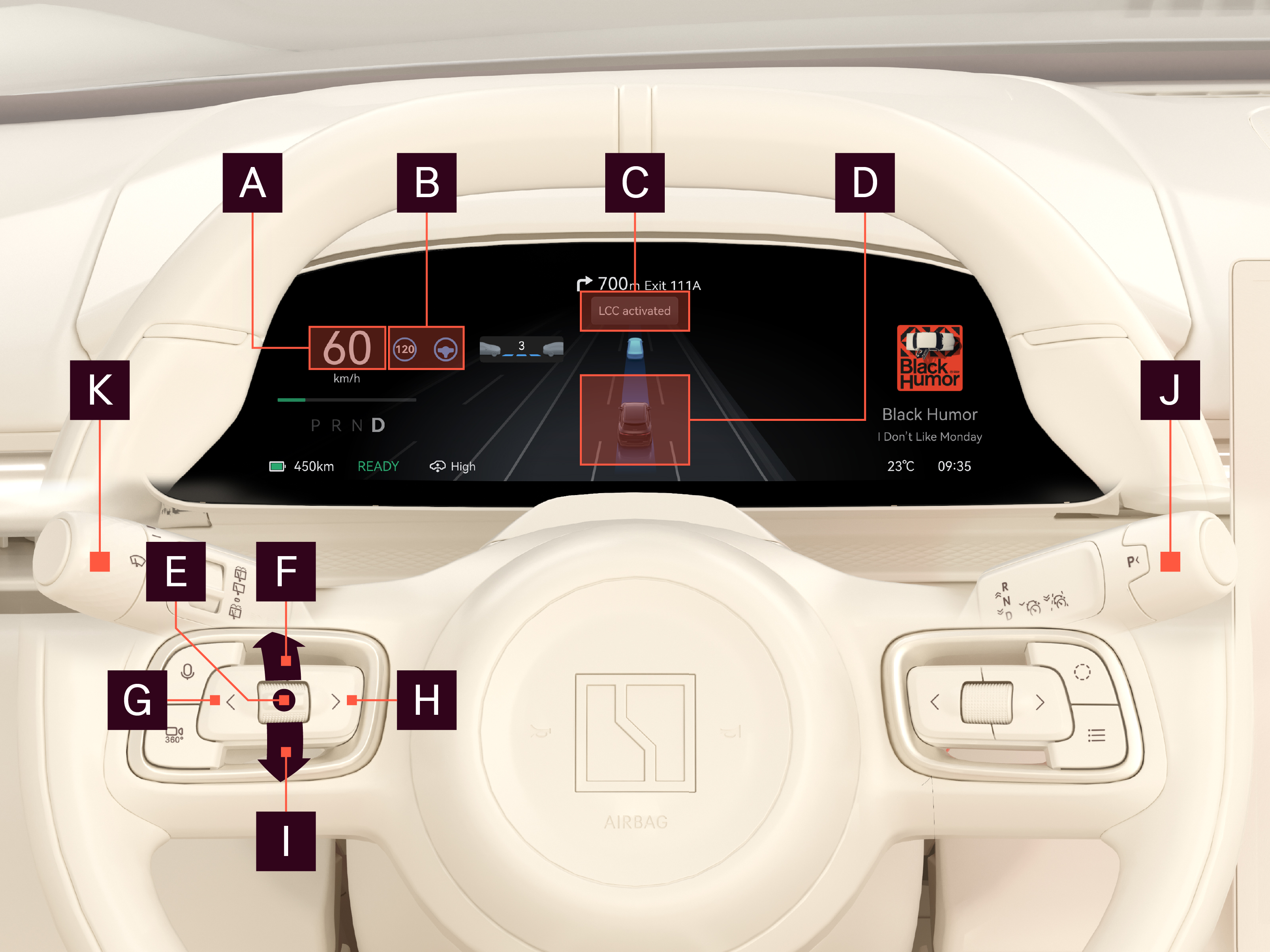
Function/button

Current speed

Adaptive cruise control and highway assist symbols
Gray: Ready for use · Blue: Active · Yellow: Fault.
When the highway assist symbol shows an arrow to the side of it
, automatic lane change assist is available for that side.
Notification area

Overview

Thumbstick center

Thumbstick up

Left button

Thumbstick down

Right button

Right steering wheel lever

Left steering wheel lever
For more information on how to use highway assist, including automatic lane change assist, see Activate and adjust highway assist.