Driver assistance
Head-up display information
Information is shown on the head-up display when driving, and additional information is shown when the adaptive cruise control or highway assist is active. For further information about the head-up display, see Head-up display.
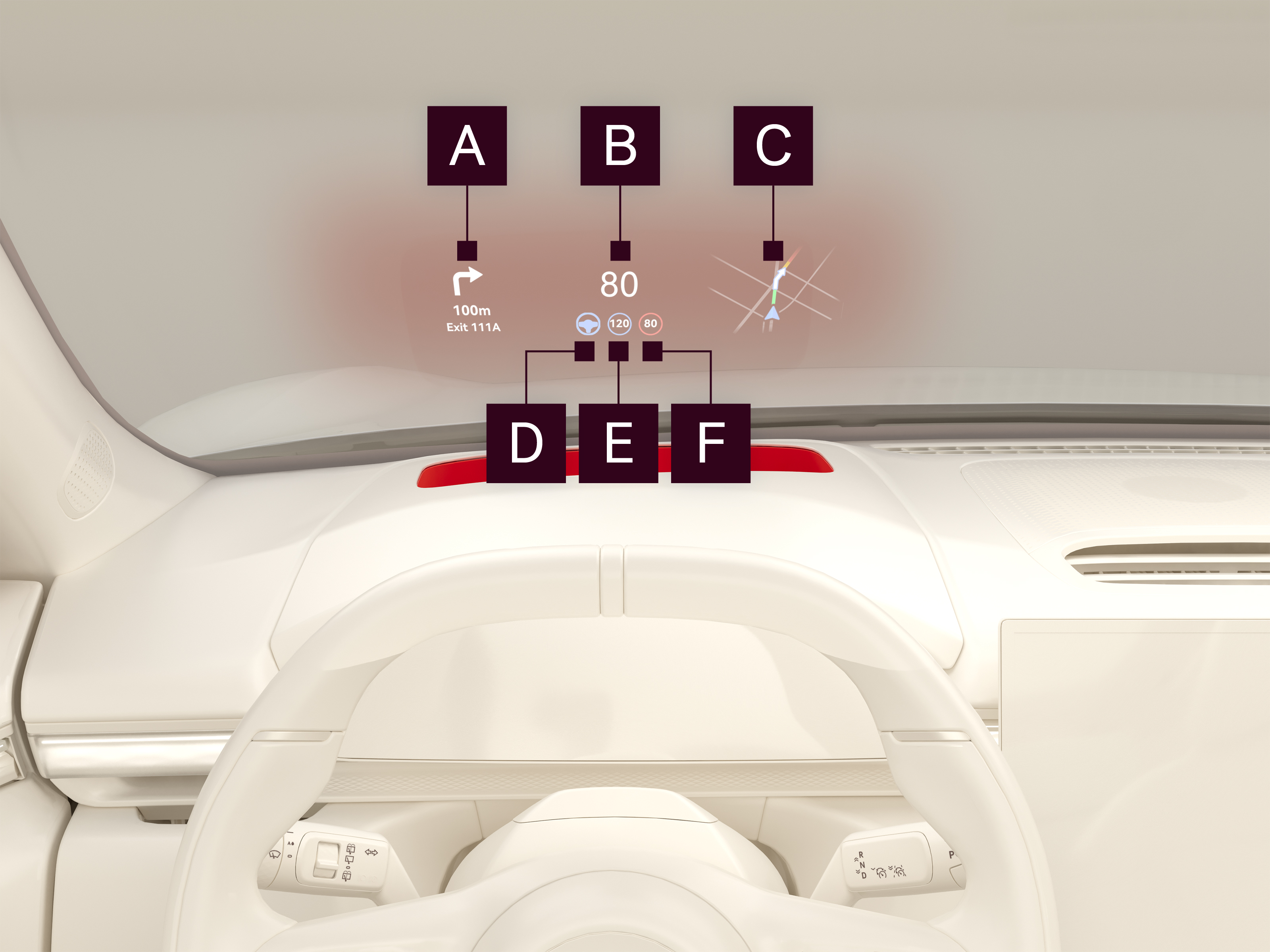
Displayed information

Turn by turn navigation
Displays information about the next turn if a destination has been set.

Current speed
Displays the current speed.

Miniature map
Displays the streets around the car, as well as the path to the current destination if a destination has been set.

Highway assist
Displays the status of highway assist. The symbol is blue when the function is active. The symbol is flashing blue when the function is overridden by light manual steering. The symbol is gray when the function is overridden by manual acceleration.

Set speed
Displays the status and set speed of adaptive cruise control. The symbol is blue when the function is active. The symbol is gray when the function is overridden by manual acceleration.

Current speed limit
Displays the current speed limit.