Driver assistance
Steering wheel controls
The thumbstick on the left side of the steering wheel controls some of the driver assistance functions, such as highway assist and adaptive cruise control.
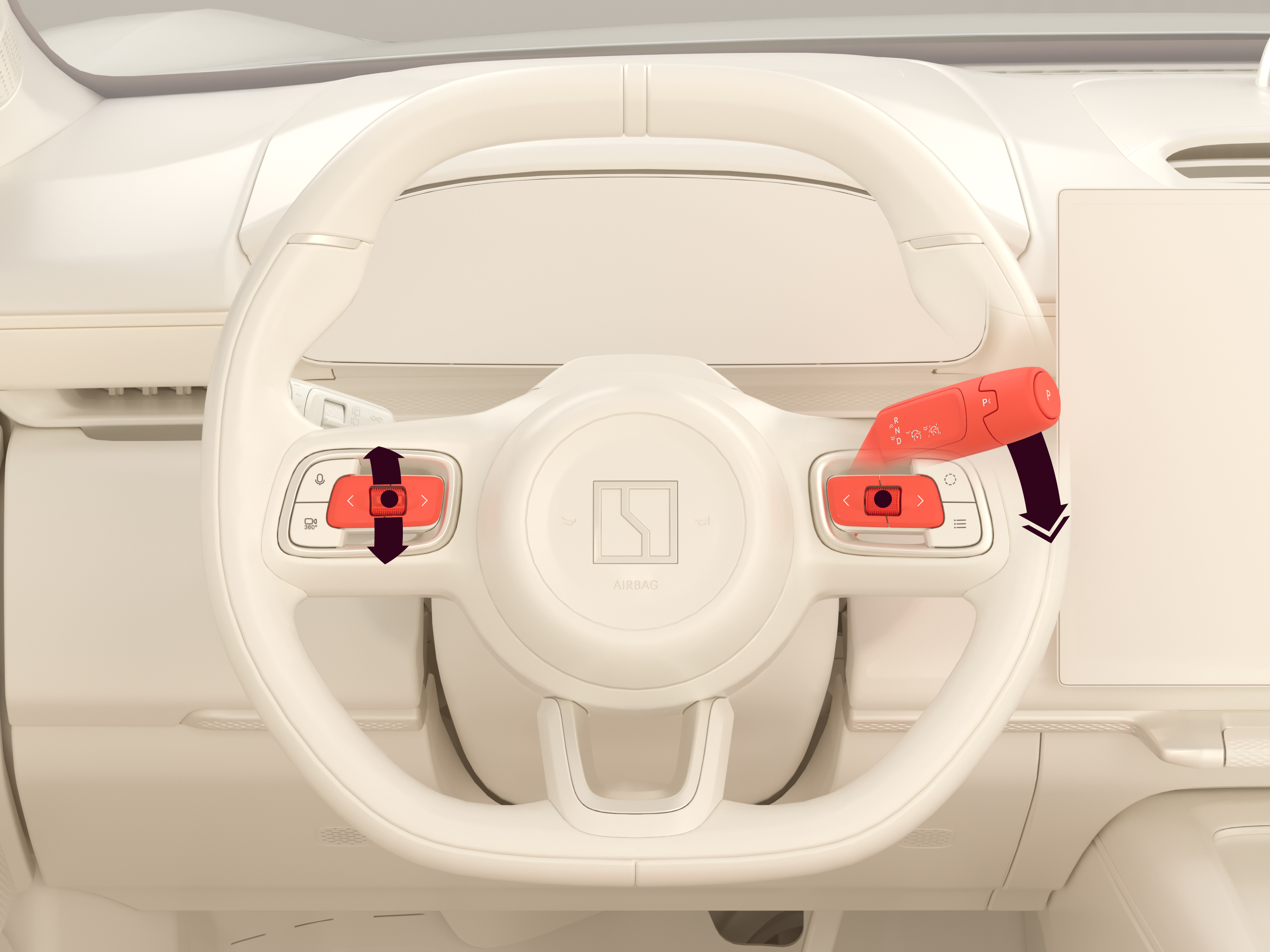
Control functions
| Control | Function |
|---|---|
| Thumbstick up | Push to increase the speed by 5 km/h. Push and hold to increase the speed by 1 km/h. |
| Thumbstick down | Push to decrease the speed by 5 km/h. Push and hold to decrease the speed by 1 km/h. |
| Press thumbstick | Resume adaptive cruise control/highway assist. Set speed to current speed limit. |
| Left button | Push to reduce the lead interval. |
| Right button | Push to increase the lead interval. |
| Right scroll wheel | Head-up display and driver display menu navigation. Increase/decrease the volume. Press to select menu option. Pause/play media. |
| Right stalk | Shift down once: Activate adaptive cruise control. Shift down twice: Activate highway assist. Shift a half-step up once: Deactivate adaptive cruise control/highway assist. |