Windows
Open/close windows
The windows can be controlled using:
- The driver door control panel
- The center display
- Voice control
- The key fob
- The NFC card
- The Zeekr app
Passengers can control their own window from the control panel on their respective doors. For information on how to control the windows using the key fob and the NFC card, see Use the key fob and Lock/unlock the car using the NFC card respectively.
Close windows on lock
When the Close windows on lock function is activated, any open window will close when the car is locked.
- Navigate to
 > Vehicle > Doors & Windows.
 - Toggle Close windows on lock on/off.
Control the windows through the door control panel
Each door has a control panel with a button that controls the window of that door. The driver door has a control panel with buttons for all four windows.
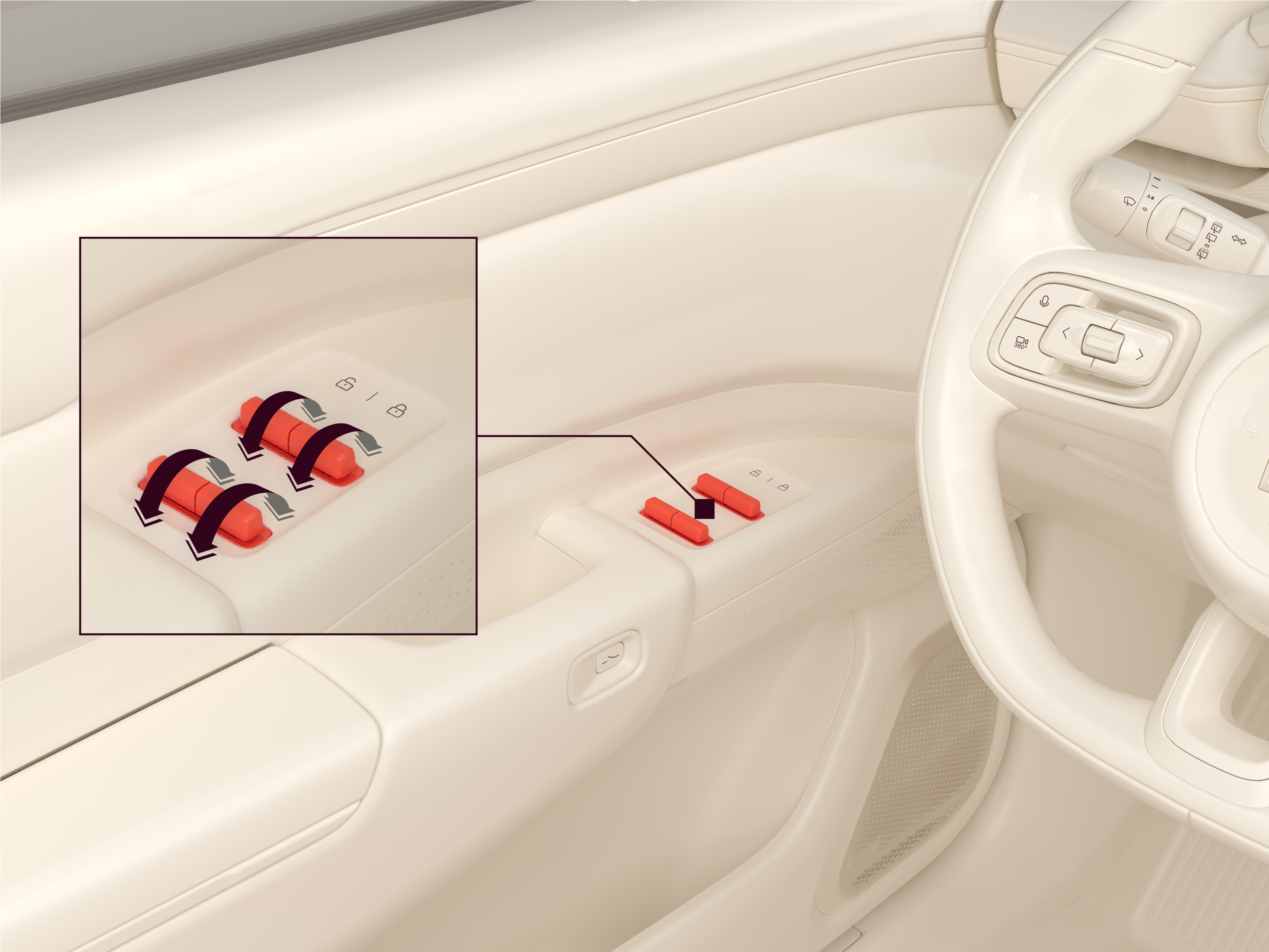
On the driver door control panel:
- Push/pull a button forward/backward to automatically open/close the window.
- Push/pull and hold a button forward/backward to manually control the window down/up.
- During automatic opening/closing of a window, push/pull the button for the respective window to stop it from moving.
- The windows can be controlled from the control panel for up to 120 seconds after powering off the car.
Control the windows through the center display
To control the windows through the center display, navigate to > Vehicle > Doors & windows.
Automatic closing during rain
If it starts to rain when the windows are open, the windows will automatically close after the car is locked from the outside and the theft protection function is activated. Automatic closing during rain is always active.
Rear window locks
The rear window locks prevent passengers in the rear seats from opening or closing either or both rear windows. When a rear window lock is enabled, that window can only be opened through the center display or with the button on the driver door console.
To activate the rear window locks for either or both rear windows:
- Navigate to > Vehicle > Doors & windows.
- Select the relevant window in Window lock.