Lock and unlock
Powered doors
The powered doors can be opened/closed automatically. They can also be set to manual operation. When the doors are not all closed, the open door is shown on the driver display and on the center display.
The car is equipped with anti-collision and anti-pinch protection. For more information, see Anti-collision and anti-pinch protection below.
Open/close the doors from the outside
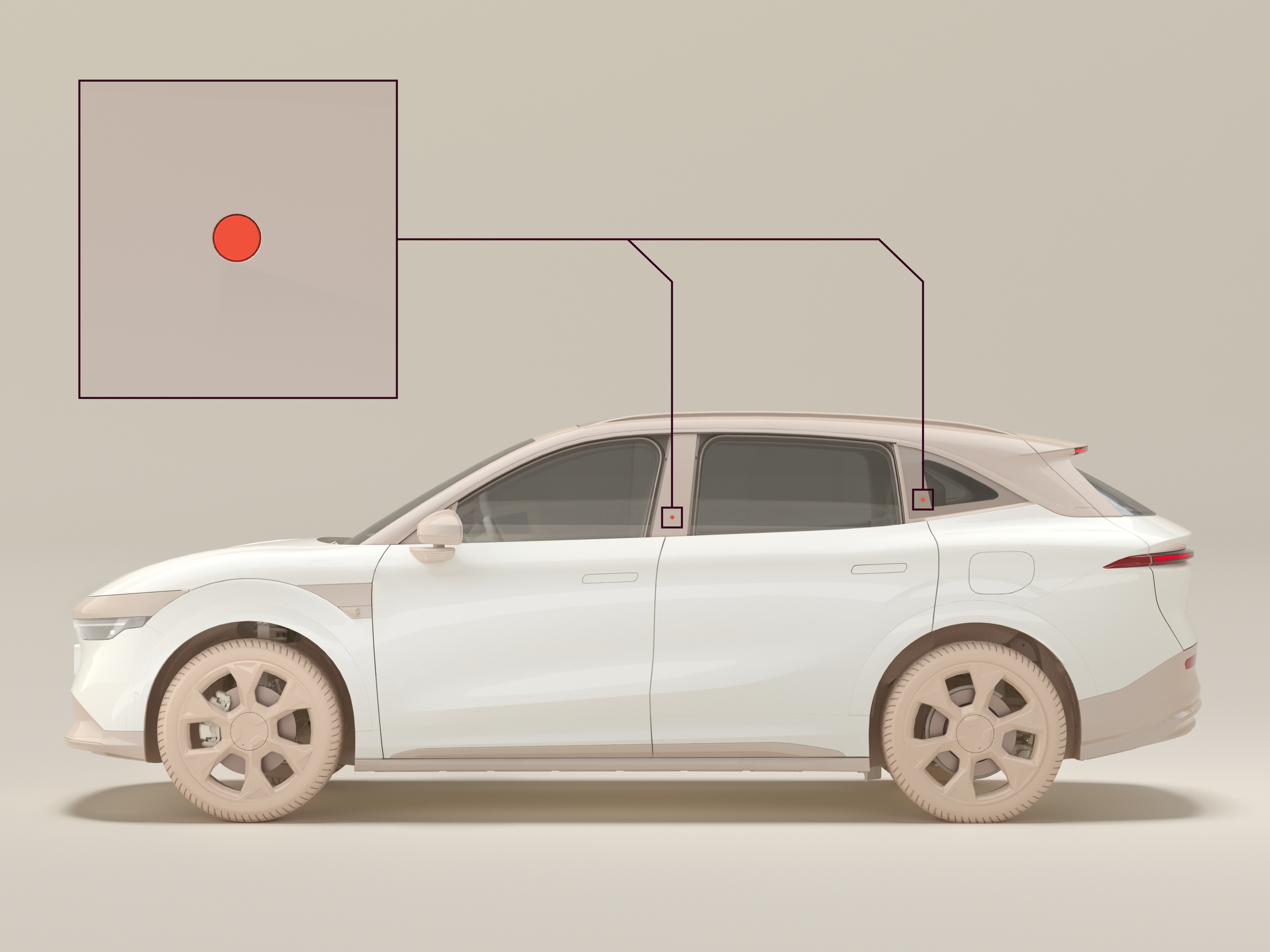
To open a front door, press the button on the B-pillar on the respective side of the car. To open a rear door, press the button on the C-pillar. To close a door, press the button on the B/C-pillar or gently push the door. When partially closed, the door automatically closes fully.
Open the doors manually from the outside
In the event of a thermal runaway or a collision causing the car to be without power, the doors can be manually opened. To open the doors manually:
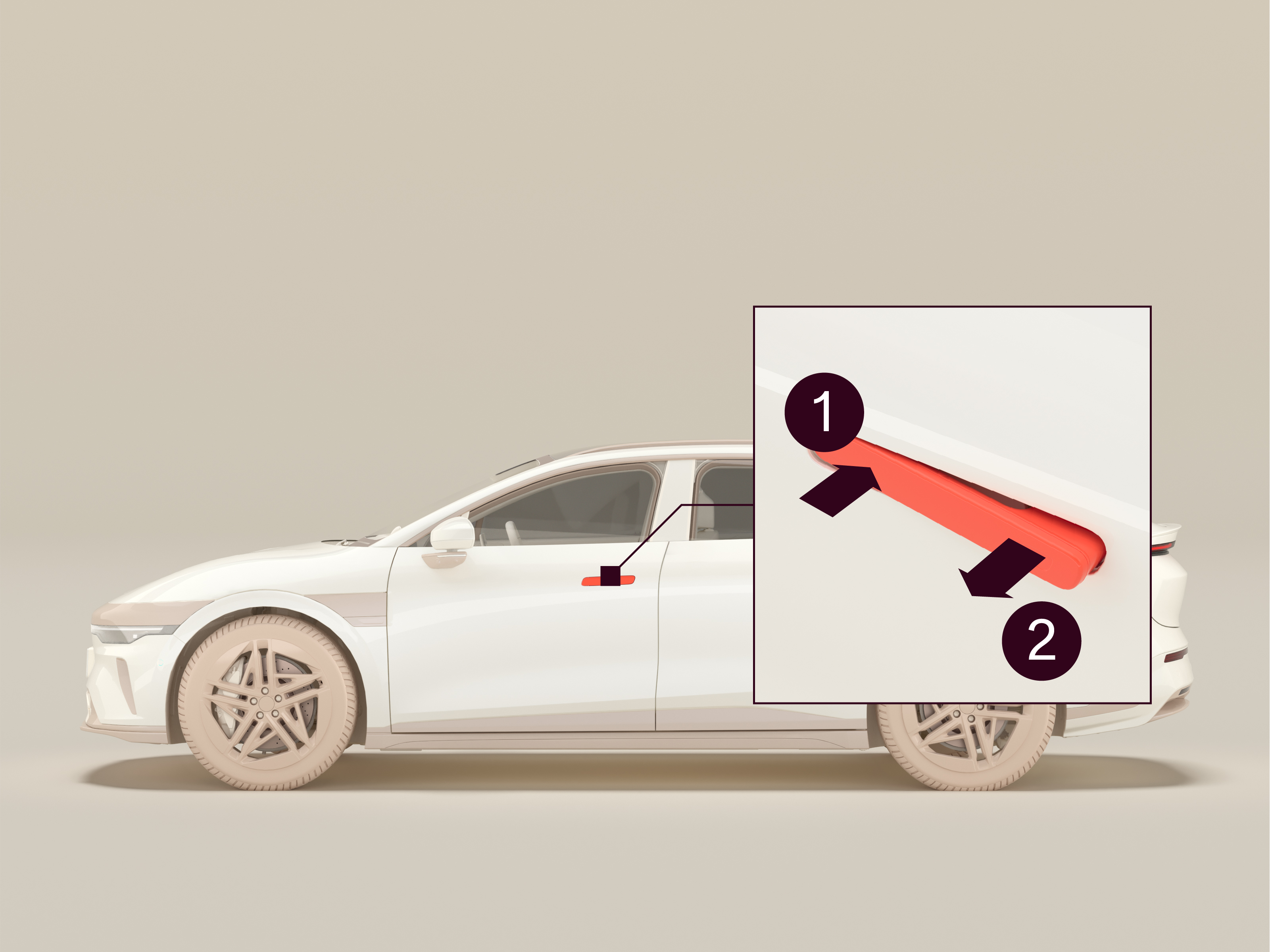
- Press the front part
 of the door handle inwards.
 - Pull the rear part
 of the door handle outwards.
 - Pull the entire door handle outwards.
Open/close the doors from the inside
There are two ways to open/close the doors from the inside:
- The door button on the side of the door panel
- Through the center display
Also, the driver door closes automatically when the brake pedal is depressed. As a safety feature, all doors close automatically when driving above 3 km/h. However, this function should not be actively used, as driving with open doors can be dangerous. We recommend closing the doors before driving.
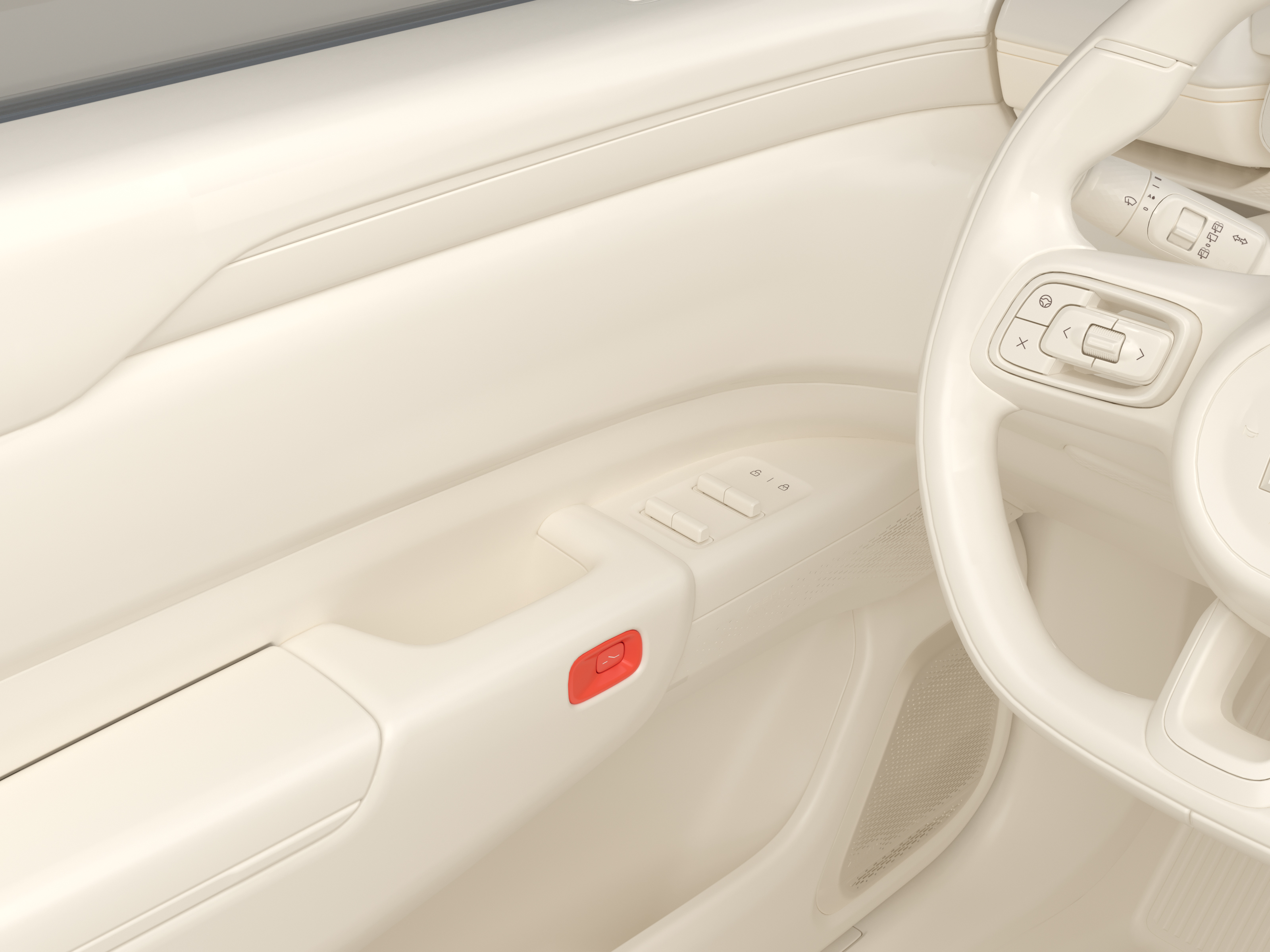
If the door is unlocked, press the door button once to open the door automatically. If the door is locked, press the door button twice to open the door automatically. To close the door, press the door button. To open/close the doors through the center display, press the door symbol on the center display main overview.
Open the doors manually from the inside
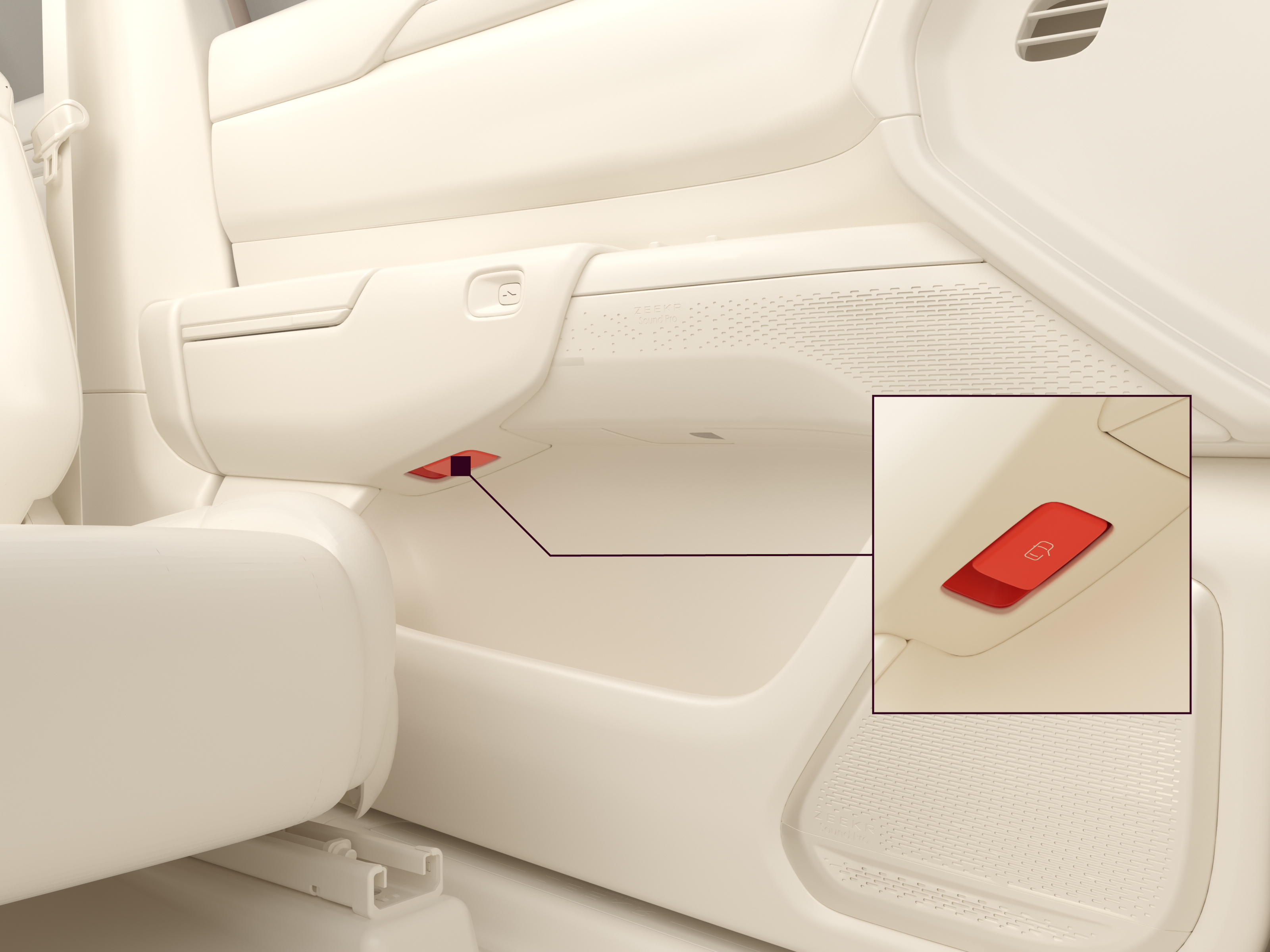
Pull the door release lever and push the door outwards to open it manually.
Powered door settings
Adjust the door opening limit
The door opening limit can be adjusted to account for tight parking spaces. To adjust the door opening limit:
- Navigate to
 > Vehicle > Doors & Windows.
 - Press Front door opening limit and/or Rear door opening limit.
- Adjust the door opening limit.
Manual operation mode
Activate manual operation mode if opening the automatic door is likely to result in a collision, such as there being an obstacle in the parking space. When manual operation mode is activated:
- To open the door from the outside, unlock the door and pull the door handle.
- To open the door from the inside, press the door button or pull the door release lever to unlock the door, then push the door outwards.
- Closing the door is still automatic.
- Manual operation mode remains activated for the selected doors for future driving cycles.
To activate manual operation mode:
- Navigate to > Vehicle > Doors & Windows.
- Press Manually open front door and/or Manually open rear door.
Manual opening/closing force
The amount of force required to open/close the doors can be adjusted. To adjust the force required to open/close the doors:
- Navigate to > Vehicle > Doors & Windows.
- Select a setting under Manual opening and closing force.
Anti-collision and anti-pinch protection
- Anti-collision protection and anti-pinch protection are supplemental aids that can handle most, but not all situations. Always make sure there is nothing blocking the door before operating it, including oncoming vehicles, bicycles, or other objects. Failure to do so could lead to death, serious injury, or damage to the car and surrounding objects.
- Anti-pinch protection does not work during the final moments of the closing operation, when the door is sealed against the chassis. Make sure there is nothing blocking the door before operating it. Failure to do so could lead to death or serious injury.
- Never test the functionality of the anti-collision and anti-pinch protection systems. Doing so could lead to death, serious injury, or damage to the car.
Anti-collision and anti-pinch protection are systems that protect the user of the car, people and objects around the car, and the car itself. Sensors around the doors prevent the doors from opening or closing if an obstacle is detected. These systems are supplemental aids. They are not a replacement for checking that it is safe to open or close a door before doing so.
Limitations of the anti-collision and anti-pinch protection
Several factors may affect and reduce the functionality of the anti-collision and anti-pinch protection systems. These factors include but are not limited to the following:
- If the anti-collision sensors have been knocked out of alignment, for example in case of a collision.
- Interference caused by facilities or devices broadcasting powerful radio waves or emitting electrical noise.
- Very low temperatures (below −20℃).
- Dirt or other obstructions near or on the sensors.
- Severe weather conditions, strong sunlight, light reflections, standing water, ice, snow, and dirt/sand.
- The car being parked on or next to a slope.
- Certain sounds could in rare cases cause the doors not to open fully, including but not limited to certain car horns, pneumatic brakes, and certain tires on wet asphalt.
Certain obstacles can be difficult or impossible to identify, such as:
- Obstacles that are too small, narrow, short, irregular, or above/below the sensors.
- Potholes, wire meshes and fences, snow, ropes.
- Animals, smaller vehicles, vehicles with irregular shapes, cyclists, or objects that are approaching the car or crossing the road.
- Objects made of unusual materials, or people wearing clothes made of unusual materials.
- Objects that are very close to the doors.
Obstacles that can sometimes be identified, might not be identified other times. The driver must make sure that the parking space is free from obstacles. Use manual operation mode when necessary.