Center display
App menu
The app center is where all installed applications are found. Installed media apps are found inside Online media.
Note
Do not install applications that are not authorized by Zeekr. Any application installed from outside the Zeekr Store app might cause damage to the system. Any system damage caused by an unauthorized app is not covered by the product warranty.
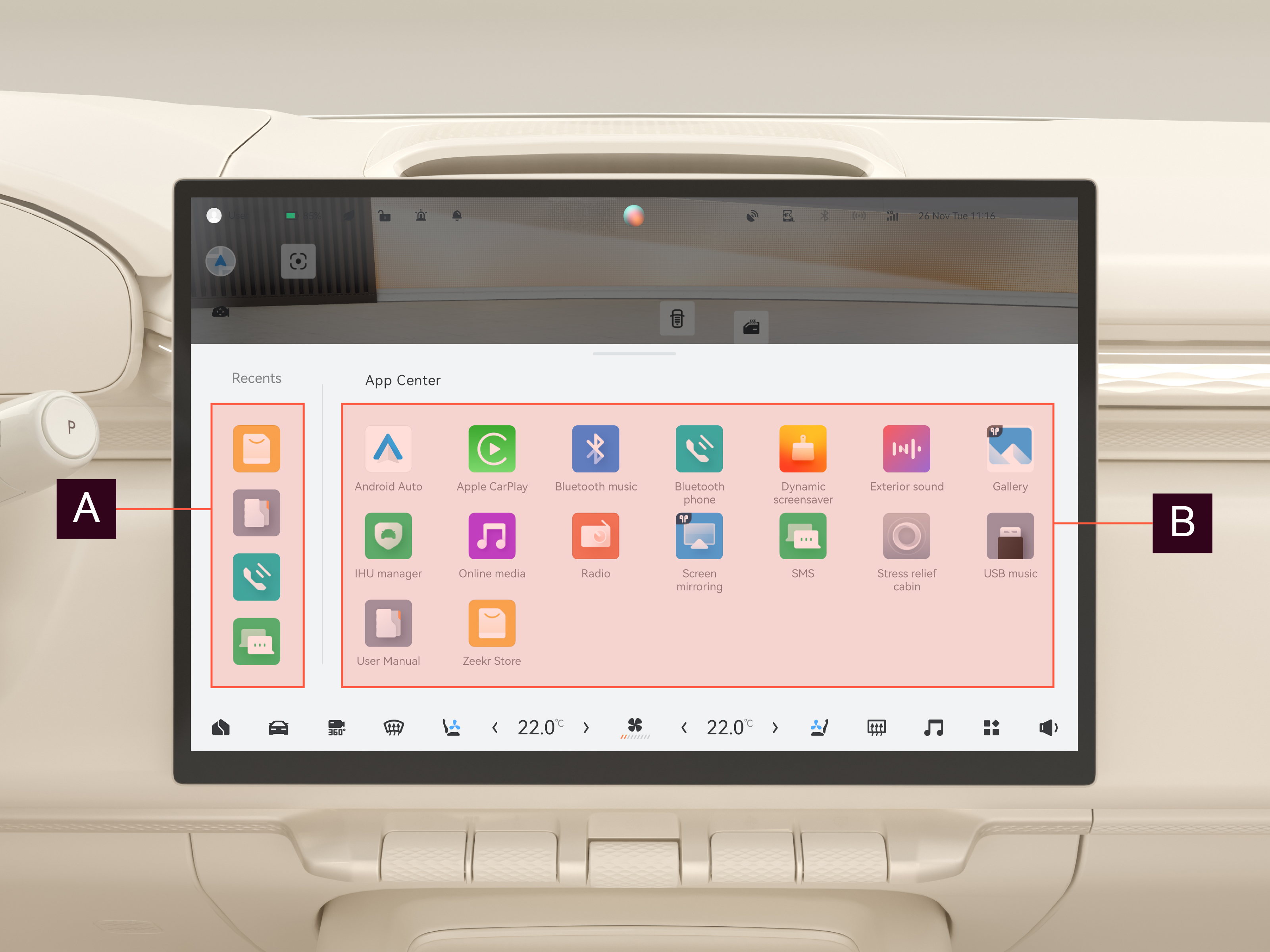
Areas

Recent applications
Displays the most recently used applications.

Applications list
Displays all installed applications. To download or update applications, navigate to  Zeekr Store on the center display.
Zeekr Store on the center display.Note
The availability of applications might change at any moment as the applications are constantly being updated, improved, or replaced. We recommend: Use the latest software version to ensure access to the latest applications.