Center display
Swipe-down menu
The swipe-down menu provides quick access to some of the most used functions of the car, such as opening the tailgate or activating the child locks, and to the notification center.
To open the swipe-down menu, slowly swipe downwards from the top of the center display. Press Edit to add/remove/rearrange shortcuts.
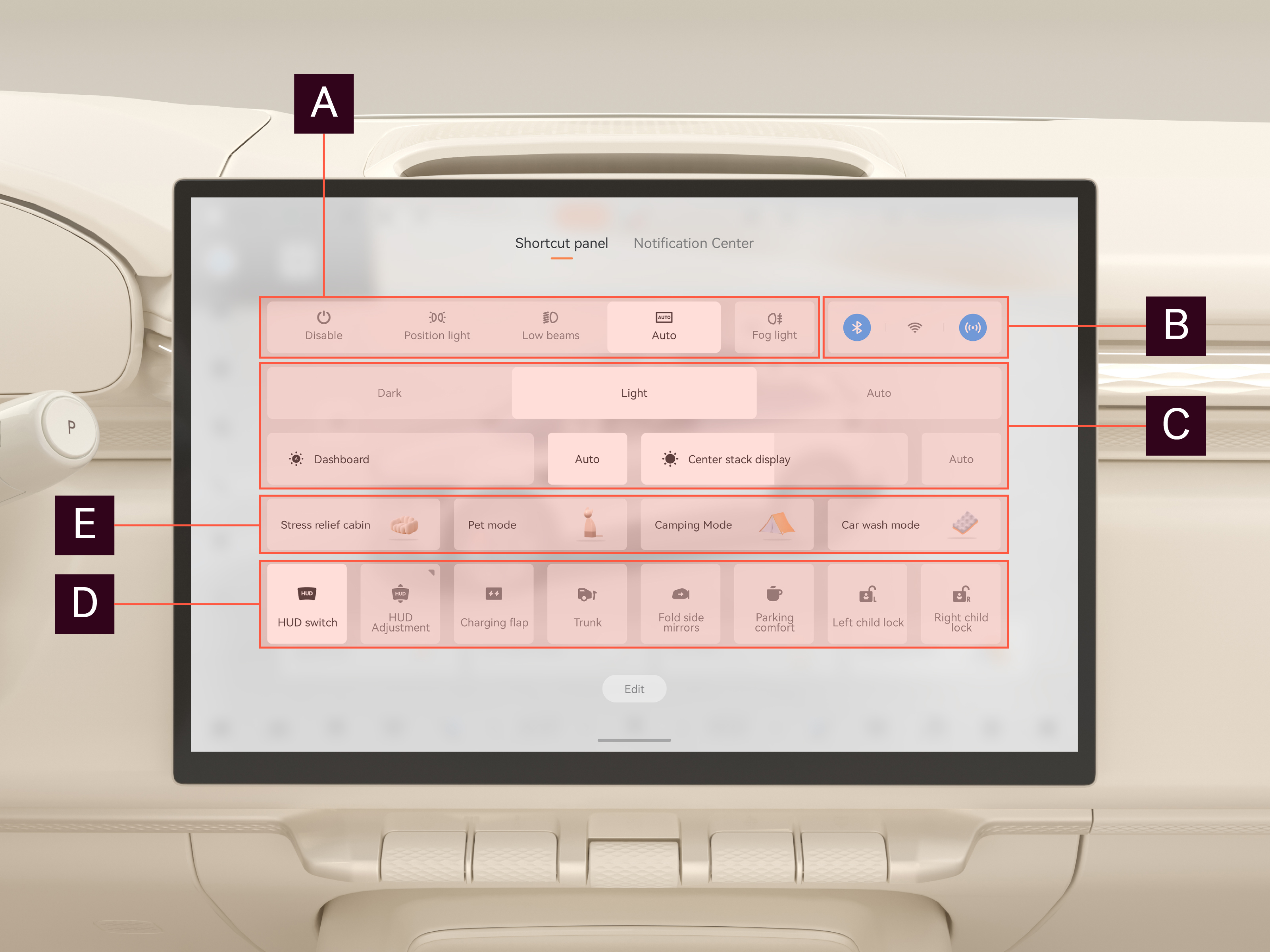

Exterior light
Control exterior lights.

Connection
Control networks.

Brightness and theme
Adjust screen brightness, select between dark/light mode.

Car control
Various functions are activated/deactivated and controlled here.

Car modes
Select between various car modes.